
Automated Workflow Triggers: Complete Guide to Event-Driven Automation

Last Updated: March 24, 2026
Key Takeaways
- Workflow triggers are events that automatically start processes when specific conditions are met, eliminating manual intervention
- Three main trigger types exist: data-based, time-based, and event-based, each suited to different business scenarios
- Companies using automated triggers report 20-30% cost reductions and up to 80% cycle time improvements
- Effective triggers require precise conditions, thorough testing, and continuous monitoring to avoid false positives
- Real-time response to customer events through triggers directly impacts revenue recovery and customer experience
What Are Automated Workflow Triggers?
An automated workflow trigger is an event or condition that kicks off a sequence of predefined actions without manual intervention. Think of it as the starting gun at a race: when the gun fires, everything that follows happens automatically. In business terms, a trigger might be a new customer signup, an incoming email, a missed deadline, or a form submission. The moment that trigger occurs, your workflow springs into action.
Here's what makes triggers powerful: they transform how your team operates. Instead of someone manually checking email inboxes, monitoring spreadsheets, or remembering to follow up on tasks, your systems do the heavy lifting. This shift from reactive to proactive operations is where real efficiency gains happen.
Every workflow trigger operates through three interconnected components. First comes the trigger itself, the event that initiates everything. Second is the condition, which acts as a filter, asking "does this trigger meet our specific criteria?" Not every new email needs the same response, after all. Third is the action, the actual work that gets performed once the trigger and conditions align. This three-part structure ensures your automations run exactly when and how you need them.

Why does this matter to your business? Because every trigger you set up represents time your team gets back. That's time spent on strategy, problem-solving, and work that actually requires human judgment rather than repetitive execution.
Types of Workflow Triggers: Data, Time, and Event-Based
Understanding which trigger type to use depends on your specific business need. The three primary categories cover nearly every automation scenario you'll encounter: data-based, time-based, and event-based triggers.
Data-based triggers respond when something changes in your system. When a new customer record is created, a status field updates to "approved," or a budget amount exceeds a threshold, these triggers spring into action. They're perfect for workflows tied to information changes. For example, when a lead's score reaches a certain number, you automatically move them to a sales queue. Or when inventory drops below minimum levels, you trigger a purchase order. Data-based triggers activate when specific conditions are met, making them ideal for reactive workflows that depend on your team's work.
Time-based triggers operate on schedules you define. These execute at specific times, dates, or recurring intervals, which makes them essential for recurring business operations. Monthly billing cycles, weekly status reports, quarterly reviews, or daily backup routines all rely on time-based automation. You might send a reminder email every Friday morning or generate performance reports on the first of each month. These triggers are reliable because they don't depend on any specific action; they simply fire when the clock says so.
Event-based triggers represent the fastest response category. They use webhooks to detect real-time system events and respond immediately, rather than checking for conditions on a schedule. When a payment processes, a form submission arrives, or an API call happens, event-based triggers react instantly. This speed matters when you need immediate action: notifying teams of urgent issues, updating dashboards live, or routing urgent requests without delay.
The choice between real-time and scheduled approaches comes down to urgency and resource impact. Real-time triggers suit critical workflows where minutes matter. Scheduled triggers work better when you can batch processes or when real-time responsiveness isn't essential. Most mature automation strategies use all three types, layering them to create responsive, efficient operations.
How Workflow Triggers Work: The Mechanics Behind Automation
Automated workflow triggers operate through a straightforward but powerful sequence: detect, evaluate, execute, and complete. Understanding this flow helps you design triggers that actually work for your business rather than creating bottlenecks.
The process begins when a trigger event occurs. This could be a customer submitting a form, a file arriving in a folder, a date threshold being reached, or a status change in your system. Automated triggers eliminate delays between trigger events and workflow initiation, ensuring immediate response time, which means your business responds in real time rather than through manual intervention.
Once the system detects the event, it moves to the conditions phase. This is where precision matters. A trigger might detect every form submission, but conditions let you specify which submissions actually warrant action. You might set conditions like "only process if the amount exceeds $5,000" or "only trigger if the customer is in the premium tier." Without conditions, you'd waste resources processing irrelevant events.
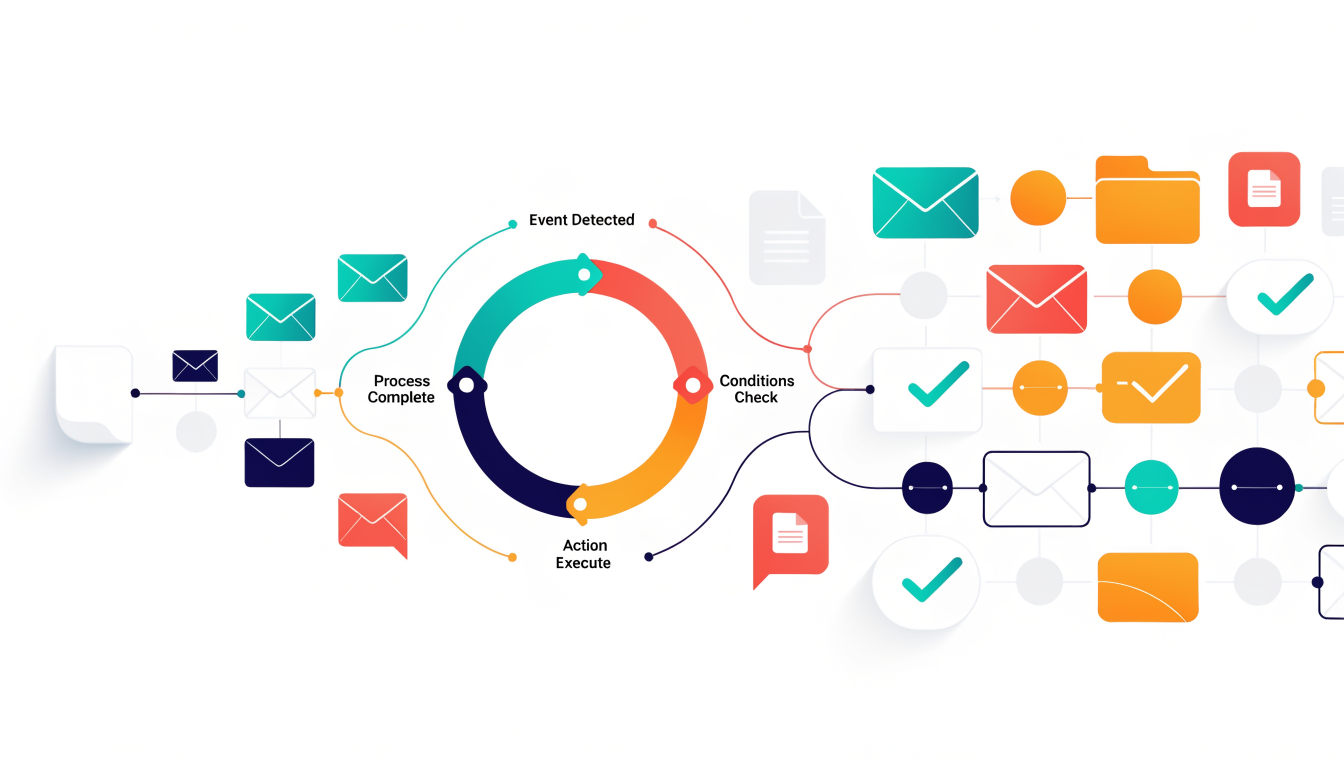
When conditions are met, actions execute automatically. These might include sending notifications, updating records, creating tasks, or triggering downstream workflows. The beauty here is consistency: every qualifying event receives identical treatment.
Testing is non-negotiable. Edge cases like duplicate events, network delays, or unexpected data formats can cause triggers to fail silently or execute incorrectly. Thorough testing before deployment prevents costly mistakes that compound across thousands of transactions. Build error handling into your trigger logic so failures notify you rather than disappearing into the background.
Real-World Use Cases: Where Triggers Deliver Maximum Impact
Consider what happens when a sales rep receives a qualified lead automatically routed to their inbox the moment it arrives. No manual sorting. No delays. The prospect gets contacted within minutes instead of days, dramatically improving conversion odds. This is lead routing in action, and it's where many sales teams first experience the power of automated triggers. A lead enters your CRM, meets specific criteria (company size, industry, budget), and immediately lands with the right person.
The impact extends across every business function. In ecommerce, a customer completes a purchase and a trigger instantly fires a confirmation email, begins a delivery tracking workflow, and initiates a nurture sequence designed to encourage repeat purchases. Customer onboarding triggers activate when new customer accounts are created in CRM systems, automatically starting welcome sequences and initial communication workflows. This eliminates the gap where new customers feel forgotten after checkout.
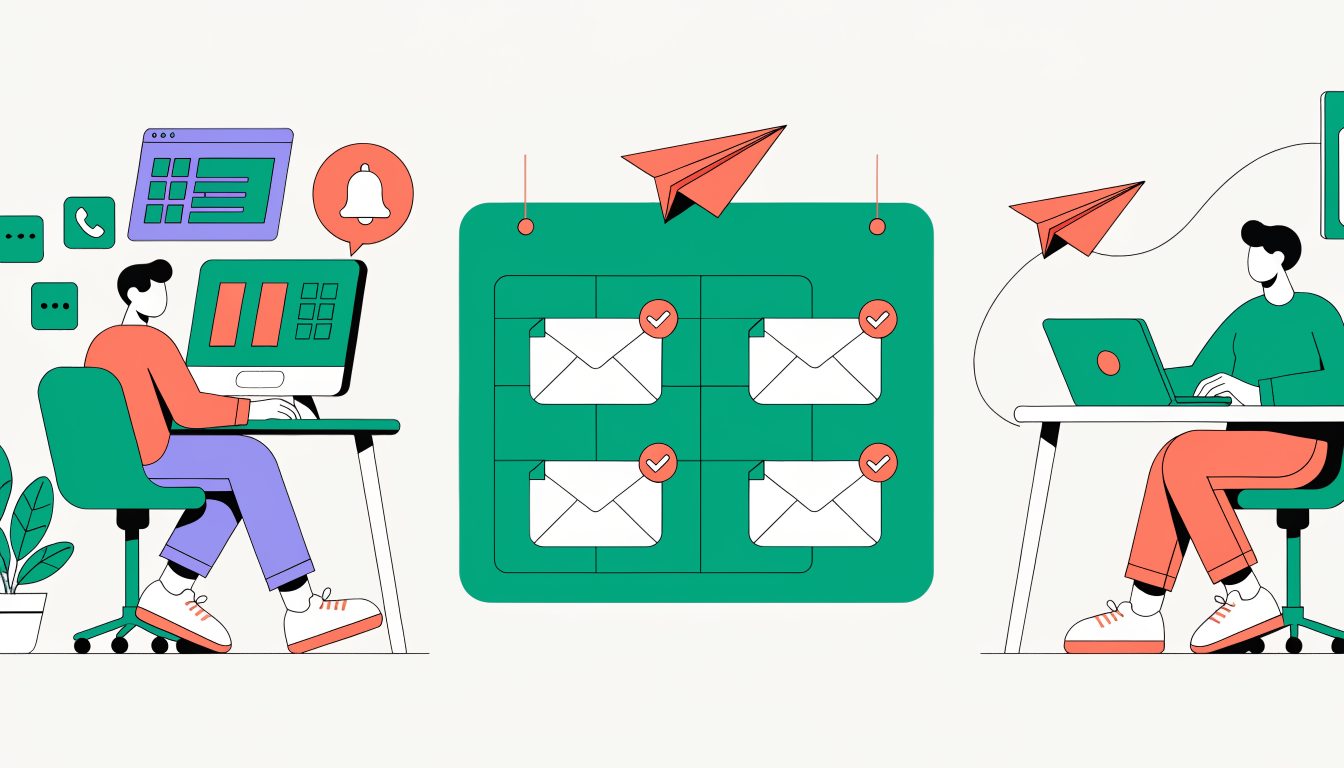
HR departments leverage triggers for new hire onboarding. When an employee record is created, automated workflows provision IT access, schedule orientation sessions, and distribute welcome materials. Finance teams use amount-based triggers to route invoices for approval: small expenses go to managers, large purchases escalate to executives. These guardrails enforce compliance while removing bottlenecks.
The common thread: triggers replace humans doing repetitive monitoring and routing work. Marketing automation reduces manual effort by 70% according to finance leaders surveyed, and companies with automated workflows experience 20-30% operational cost reduction. Beyond cost savings, triggers ensure consistency. Every lead gets the same rapid response. Every customer receives the same welcome experience. Speed and standardization compound into measurable revenue and retention gains.
The Business Impact: Why Automated Triggers Matter for Revenue and Efficiency
The real measure of automated workflow triggers isn't the technology itself; it's what happens to your bottom line. When a customer submits a form, abandons their cart, or requests support, every minute matters. Research shows that delaying response by just 5 to 10 minutes can lower lead qualification odds by 40%. Automated triggers eliminate that gap entirely, responding instantly and consistently, which directly impacts conversion rates and revenue recovery.
Beyond speed, consistency drives measurable value. When humans manage workflows, execution varies. Someone forgets a step, another person interprets a rule differently, and errors compound across thousands of transactions. Triggers enforce the same process every single time, reducing costly mistakes and rework. SMBs report 35% productivity increases after automating workflows, while cycle times shrink by up to 80%, meaning you accomplish more in less time.
The scalability advantage is equally powerful. As your business grows, you don't need proportional headcount increases. Triggers handle volume automatically. Whether you're processing 100 or 10,000 transactions daily, the cost per transaction drops sharply because automation doesn't fatigue, doesn't require benefits, and doesn't take vacation.
Consider labor costs. IT and engineering leaders report saving at least four hours per week with workflow automation software. Multiply that across your team over a year, and you're looking at substantial savings that can be redirected toward strategy and innovation rather than repetitive manual tasks. The real power of automated triggers is this: they transform your team from reactive order-takers into proactive strategists, handling the routine so your people can focus on work that actually moves the needle.
Best Practices for Designing Effective Workflow Triggers
Designing effective workflow triggers requires precision, discipline, and a willingness to test relentlessly before deployment. The most common mistake teams make is creating triggers that are too broad, leading to false positives that flood your team with unnecessary notifications and actions. Instead, define your trigger conditions with specificity. Rather than "when a customer email arrives," specify "when a customer email arrives with an unresolved support ticket AND contains specific keywords indicating urgency." This targeted approach prevents wasted effort and keeps your team focused on genuine priorities.
Testing is non-negotiable. Before going live, validate your triggers across edge cases, high-volume scenarios, and error conditions. What happens when 500 orders arrive simultaneously? How does your trigger behave with incomplete data? Run these tests in a staging environment first, not in production. Documentation matters too; capture the logic behind each trigger so team members understand why it exists and future colleagues can maintain it without guessing.
Start with high-impact, high-confidence use cases rather than automating everything at once. A trigger that catches payment failures or escalates critical issues delivers immediate business value and builds organizational confidence in automation. Once you've proven success, expand systematically. Monitor activation rates and performance metrics continuously. If a trigger fires far more or less frequently than expected, investigate immediately; something has changed in your data or business process. Plan for scalability from the beginning, knowing that today's workflow volume will double within months.
Frequently Asked Questions About Workflow Triggers
Triggers vs. Conditions: What's the Difference?
Think of a trigger as the event that starts everything, and conditions as the rules that determine whether your workflow actually runs. A trigger might be "customer submits a form," but a condition could be "only if their account balance is over $100." You need both working together for precise automation.
Can One Trigger Start Multiple Workflows?
Absolutely. A single trigger can initiate multiple workflows, which is incredibly useful when you need the same event to kick off different processes. For example, a new customer signup could simultaneously trigger a welcome email workflow, a CRM entry workflow, and a team notification workflow.
Preventing Incorrect Trigger Fires
The best defense is specificity. Build conditions that narrow down exactly when you want the trigger to activate. Test your setup in a sandbox environment first, and use validation rules to catch bad data before it causes problems. Robust triggers include error detection and handling capabilities, which protect against scenarios where conditions are met but workflows can't actually execute due to system issues.
What If a Workflow Fails After Being Triggered?
Most platforms have built-in retry mechanisms and error logging. You'll get notifications about the failure, and the system typically attempts to restart the workflow or routes it to a manual review queue.
Real-Time Response Speed
Cloud-based triggers typically respond within seconds. Some systems offer sub-second latency, though actual speed depends on your platform and data complexity.
Do You Need Coding Skills?
No. Modern workflow platforms use visual builders with point-and-click interfaces. You can set up sophisticated automations without writing a single line of code.
Key Takeaways and Next Steps
Automated workflow triggers aren't a nice-to-have feature; they're the backbone of operational efficiency in modern businesses. The evidence is compelling: organizations that implement triggers strategically see cost reductions of 20-30% and cycle time improvements up to 80%. But here's the reality: those gains don't happen by accident.
Success requires three non-negotiable elements. First, precision in design. Your triggers must respond to the exact conditions that matter, not just any event that crosses your system. Second, rigorous testing before deployment. A poorly configured trigger can create chaos faster than it solves problems. Third, ongoing monitoring to catch drift and performance issues.
The path forward isn't to automate everything at once. Start with your highest-impact use cases: the processes that consume the most time, cost the most money, or frustrate your customers most. Maybe it's invoice processing, customer onboarding, or support ticket routing. Prove the value there, build internal confidence, then expand to more complex workflows.
Real-time responsiveness to customer events has become a genuine competitive advantage. When your business reacts instantly to customer actions, you're not just faster; you're fundamentally different from competitors still operating on manual schedules.
Begin this week by mapping one critical process. Identify where delays happen and where human intervention could be replaced by intelligent triggers. That single workflow could be your entry point to transformation.
Unlock Revenue with Data-Driven Workflow Automation
The most sophisticated workflow trigger is worthless if it's built on incomplete data. Every abandoned cart, every customer who browsed but didn't convert, every moment of hesitation in your sales funnel tells a story. The businesses winning right now aren't just reacting to customer behavior; they're predicting it.
This is where the real opportunity lives. When you combine conversion analytics with intelligent automation, you stop guessing about what triggers matter. You see exactly which customer signals correlate with revenue, then design workflows that respond in milliseconds. A customer viewing your pricing page triggers a targeted message. An incomplete form submission prompts a helpful follow-up. A lapsed buyer receives a personalized incentive at the precise moment they're most likely to return.
The difference between average and exceptional automation isn't complexity; it's insight. Platforms that merge behavioral data with trigger logic identify revenue recovery opportunities that spreadsheets and manual processes simply miss. You're not just automating tasks anymore. You're capturing revenue that would otherwise disappear.
If your current automation feels like it's working in the dark, it's time to see what data-driven triggers actually accomplish. See how intelligent workflow automation transforms customer behavior into measurable revenue growth. Schedule a demo with Arktis to discover how conversion intelligence powers the automation that matters.
Go deeper in the Learning Hub
Try Arktis free for 7 days
Attribution tracking, session recordings, and AI automation in one platform. Set up in 2 minutes, free for 7 days.
Start 7-day free trial