
How to Track User Journey in Google Analytics 4 (2026 Guide)

Last Updated: March 29, 2026
Quick Summary
- GA4 offers powerful event-based tracking and path exploration tools for journey analysis
- User ID feature enables cross-device tracking but requires authentication or workarounds
- GA4 cannot track PII or capture full multi-touch attribution, creating blind spots
- Combine GA4 with supplementary tools to close gaps and drive actionable insights
- Real-time journey insights enable faster optimization and revenue recovery opportunities
Why User Journey Tracking Matters for Your Business
Most businesses track how users arrive, but almost nothing about what happens after the click. You know your acquisition cost and traffic sources, yet you're blind to the actual customer journey: the winding path from first awareness through consideration, decision, purchase, and beyond.
This gap costs money. When you only measure traffic, you miss the friction points where customers abandon before converting. You can't see which content genuinely moves people toward buying. You don't know whether your checkout experience is losing sales or your email nurture sequence is working. You're optimizing in the dark.

User journey tracking reveals the complete customer experience across every touchpoint. It shows you not just who converted, but how they got there. More importantly, it exposes where people drop off and why. That insight transforms your ability to improve results.
The business case is clear: 88% of customers now consider their experience with a company to be as important as its products. Experience quality drives loyalty, repeat purchases, and referrals. Without understanding journeys, you're leaving revenue on the table while competitors capture it through smarter personalization and targeted optimization.
Google Analytics 4 Fundamentals: Event-Based Tracking Explained
Google Analytics 4 fundamentally changed how analytics platforms capture user behavior. Instead of bundling actions into rigid session containers, GA4 treats every single interaction as a discrete event: a page view, a button click, a form submission, a purchase, a video play. These events become the building blocks of journey analysis.
This shift matters because sessions are arbitrary. A user might close their browser, grab coffee, and return an hour later. In Universal Analytics, that was two sessions. In GA4, it's a continuous chain of events belonging to one user. GA4 treats every action as an event and stitches events together across sessions and devices to reconstruct complete customer journeys, even when someone switches from mobile to desktop or uses multiple devices.
The practical benefit is significant. GA4's cross-platform journey accuracy is 40% higher than legacy analytics, which means you're seeing more authentic user paths rather than fragmented touchpoints.
GA4 also introduced the User ID feature, which deepens cross-device tracking when properly configured. If you implement it correctly, you can follow the same authenticated user across their phone, tablet, and laptop. Without User ID, GA4 relies on probabilistic modeling to connect devices, which works but carries inherent uncertainty.
The trade-off is complexity. You need to define which events matter for your business and ensure they're firing accurately. Pre-built events like page views and purchases work automatically, but custom events require deliberate implementation. This is why many teams find that GA4 alone doesn't capture the full picture of their customer journey. You'll likely need supplementary tools for advanced attribution, customer segmentation, or journey visualization. But understanding GA4's event foundation is essential before layering additional solutions on top.
Core GA4 Tools for Tracking User Journeys
Google Analytics 4 provides several built-in tools specifically designed to visualize and analyze how users move through your digital experience. Understanding when and how to use each one is essential for extracting actionable insights from your data.
Path Exploration shows user journeys as interactive tree graphs, revealing the sequence of pages or events users visit. You can see which pages users land on, what they click next, and where they loop back or drop off. This tool excels at answering questions like "What do users do after viewing our pricing page?" or "Which content paths lead to sign-ups?" The visualization makes it easy to spot unexpected user behavior and identify high-performing content sequences.
Funnel Exploration lets you build custom conversion funnels by selecting specific events or page views as steps. Unlike preset funnels, you can define exactly what constitutes your conversion process. For a SaaS company, this might be Account Creation > Feature Demo > Trial Signup > Paid Conversion. The report shows drop-off rates at each step and lets you compare user segments to see which audiences progress differently. This clarity helps prioritize optimization efforts where they'll have the most impact.

User Explorer shifts focus to individual user behavior rather than aggregated patterns. You can search for specific user IDs and watch their complete journey across sessions and devices. This is valuable for understanding power users, investigating support tickets, or seeing how users interact with features over time. It reveals the human story behind your analytics numbers.
For ecommerce businesses, Checkout Journey and Shopping Behavior reports provide specialized views of product browsing and purchase paths. These show which products users view together, where cart abandonment happens, and conversion rates by product category. Each tool reveals different angles of the customer journey; combining them creates a comprehensive picture of how users actually move through your product or website.
The Critical Limitations of GA4 for Journey Tracking
While GA4 represents a substantial improvement over Universal Analytics, it was designed as a web analytics tool, not a complete customer journey platform. This distinction matters significantly when you're trying to understand how real customers move through your business.
The most immediate limitation is identity. GA4 can only display an alphanumeric ID and cannot track personally identifiable information like email addresses, names, or phone numbers. Without manually implementing User ID tracking, the same person visiting across devices appears as separate users, fragmenting the very journey you're trying to understand. You see behavior patterns, but not who's actually behind them.
Attribution compounds this problem. GA4's default last-click model captures only the final touchpoint before conversion. This approach cannot capture the non-linear, multi-touchpoint nature of user journeys, where customers interact with your brand across email, paid ads, organic search, and direct visits before converting. You're measuring the last domino, not the entire sequence that knocked it over.
Data silos create a third barrier. GA4 exists separately from your CRM, email platform, support system, and sales tools. Traditional approaches create data silos where marketing, product, customer success, and sales teams use separate platforms, each holding fragments of the customer story. Connecting these dots requires manual export, integration work, or custom development.
Finally, GA4 is reactive, not proactive. The platform surfaces data; it doesn't automatically surface insights or trigger actions based on journey patterns. You'll spend hours analyzing reports to spot trends that should activate immediate responses: a user returning after 30 days of inactivity, a cart abandonment sequence, or a support interaction preceding churn. These patterns demand automated recognition and response, not spreadsheet reviews.
GA4 excels at what it was built for: web behavior analysis. But journey tracking requires identity resolution, unified data, intelligent attribution, and automation. That's where GA4 reaches its boundary.
Step-by-Step Setup: Getting Started with GA4 Journey Tracking
Setting up GA4 to track user journeys requires a structured approach, but the good news is that the core steps are straightforward. Begin by installing the GA4 tracking code on every page of your website or app. If you're migrating from Universal Analytics, you likely already have a tracking implementation; GA4 uses a similar code structure but with enhanced data collection capabilities. The tag should fire on page load and remain consistent across your entire digital property.
Next, configure the events that matter to your business. Events can be anything from button clicks, logins, page scrolls, form submissions, video plays, downloads, or purchases. Rather than tracking everything, focus on the moments that indicate progress through your customer journey. If you sell software, relevant events might include "pricing_page_viewed," "demo_requested," and "signup_completed." This intentional approach makes your data clearer and your reports more actionable.
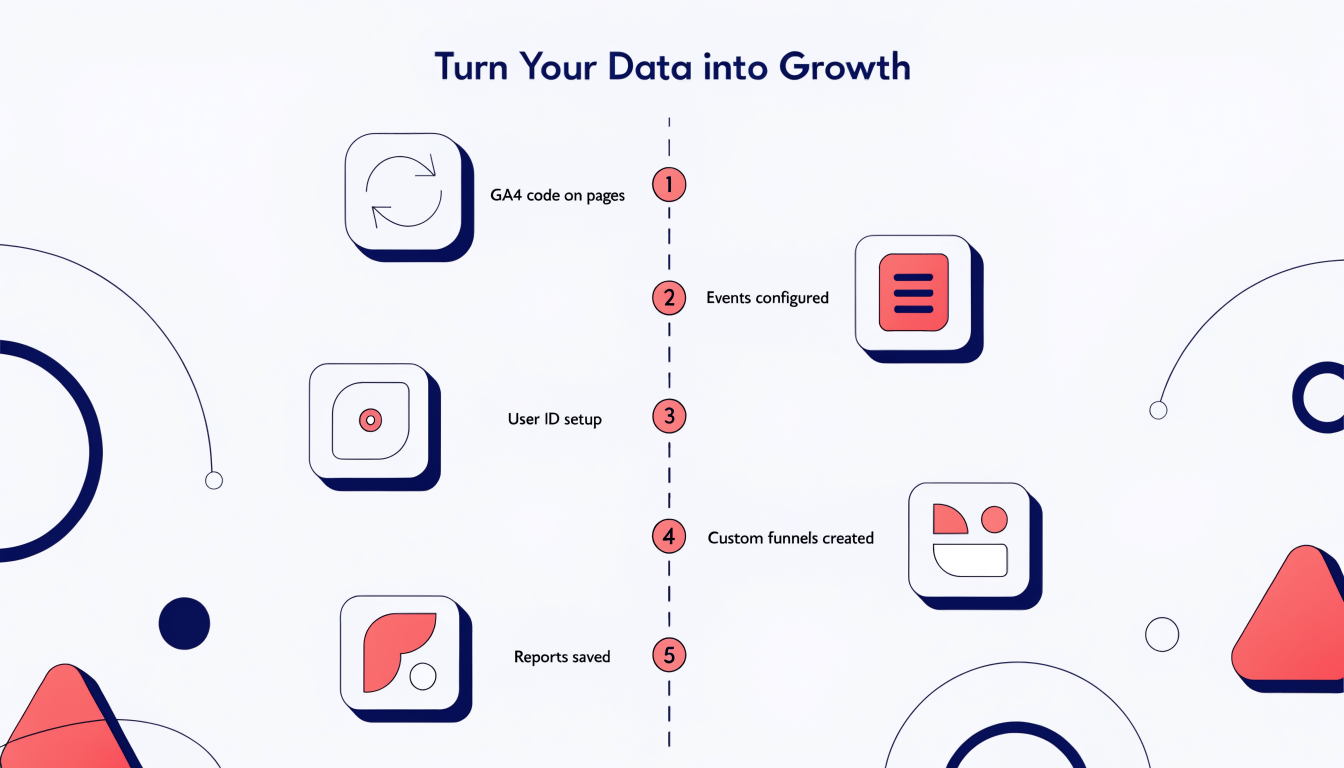
If your site requires user authentication, implement the User ID feature. This connects multiple sessions and devices to the same person, revealing how individual users move through your funnel rather than treating each session as anonymous. Then, create custom funnels in GA4 for your critical conversion paths. Breaking down data by dimensions like device category reveals friction points where users drop off.
Finally, save your custom funnels and segmented reports as recurring dashboards. Saving custom funnels as reports allows consistent monitoring and faster trend detection, eliminating the need to rebuild the same analysis weekly. This setup creates your foundation for journey tracking, though you'll likely discover that supplementary tools become necessary as your complexity grows.
Beyond GA4: Where You Need to Go Next
GA4 gives you the foundation, but it's not the complete picture. The platform excels at tracking events and understanding aggregate behavior patterns, yet it operates within real constraints. You can't identify individual customers by name, link anonymous sessions to known identities, or maintain a unified view of someone across devices and channels without significant workarounds.
Real-time journey insights demand integration across multiple data sources. Your customer's path doesn't live in GA4 alone; it spans your CRM, email platform, support system, and revenue tools. When these systems remain disconnected, you're analyzing fragments instead of complete stories. A visitor might convert in GA4, but you won't see that they later churned or became your highest-value account without pulling data from elsewhere.
This is where supplementary tools become essential. Advanced journey analytics platforms can pinpoint issues in real-time and track data from numerous sources, while machine learning continues to enable businesses to collect and analyze data at lightning speed and predict customer behavior. A privacy-first approach combines GA4 with first-party data strategies, giving you both compliance and clarity.
Unified platforms eliminate data silos and enable faster action. Rather than exporting GA4 data and manually reconciling it with CRM records, integrated systems let insights flow bidirectionally. You identify patterns GA4 misses, connect journeys to actual revenue outcomes, and recover opportunities before customers disappear. This isn't about replacing GA4; it's about completing what GA4 started. Serious businesses recognize this as the natural next step.
FAQ: Common Questions About GA4 Journey Tracking
Do I need User ID to track journeys in GA4?
Not strictly, but it's the difference between guessing and knowing. Without it, GA4 relies on device identifiers and cookies, which breaks down across devices. User ID assigns a unique identifier to each user, allowing tracking across multiple sessions and devices, giving you a complete picture of how someone moves through your ecosystem. If cross-device tracking matters to your business, implement it.
Can GA4 track email addresses?
No. GA4 cannot store personally identifiable information for privacy and compliance reasons. This is a feature, not a limitation. You can pass hashed or pseudonymous identifiers instead, but never raw email addresses.
What's the difference between last-click and data-driven attribution?
Last-click shows only the final touchpoint before conversion. Data-driven attribution uses machine learning to weight all touchpoints in the journey, recognizing that awareness campaigns, retargeting ads, and direct visits all play roles. Data-driven is more accurate but requires sufficient conversion volume to function properly.
How long until I see journey data?
Real-time data appears immediately in GA4. Historical trends and patterns require 2 to 4 weeks of data collection before they become meaningful and reliable for analysis.
Can I track journeys across web and mobile app?
Yes, with two conditions: implement User ID consistently across both platforms and integrate your mobile app with Firebase. Without both, you're tracking them separately.
Unlock Complete Customer Journey Intelligence
Google Analytics 4 gives you the foundation every business needs to understand customer movement through your digital ecosystem. You can see where visitors arrive, which pages they engage with, and whether they convert. That's genuinely valuable. But it's incomplete.
The gaps are real. GA4 doesn't track personally identifiable information across touchpoints, leaving you unable to connect anonymous sessions to actual customers. Attribution remains fuzzy when journeys span multiple devices and channels. Manual analysis of user flows becomes overwhelming at scale, and you'll miss the revenue recovery opportunities hiding in abandoned carts and incomplete purchases.
Understanding customer journeys allows companies to be more customer-centric and evaluate activities, expectations, and feelings of customers. But understanding requires visibility. Real businesses need unified journey analytics that connects all customer data, including identity information, while respecting privacy regulations.
This is where supplementary tools become essential. Privacy-first journey intelligence platforms fill GA4's gaps by automatically tracking complete customer paths from first click to repeat purchase. AI-driven analysis identifies patterns you'd never spot manually: which journey variations drive highest lifetime value, where customers consistently drop off, which segments are ready to buy. Automated revenue recovery catches the sales GA4 alone can't recover.
The strongest teams use GA4 as a foundation and layer in specialized journey analytics that provide PII tracking, sophisticated attribution, and actionable AI insights. This combination transforms raw data into strategic advantage.
Your competitors are already connecting these dots. The question is whether you'll build this capability yourself or adopt a purpose-built solution. Either way, the cost of incomplete journey visibility has become too high to ignore.
Go deeper in the Learning Hub
Try Arktis free for 7 days
Attribution tracking, session recordings, and AI automation in one platform. Set up in 2 minutes, free for 7 days.
Start 7-day free trial